Help
Sharing your Google Calendar
Could you share your Google Calendar with me so I can see when you're busy? It only shows busy times, not what your events are.
Follow the steps for your device, then reply to the message you got.
On a computer
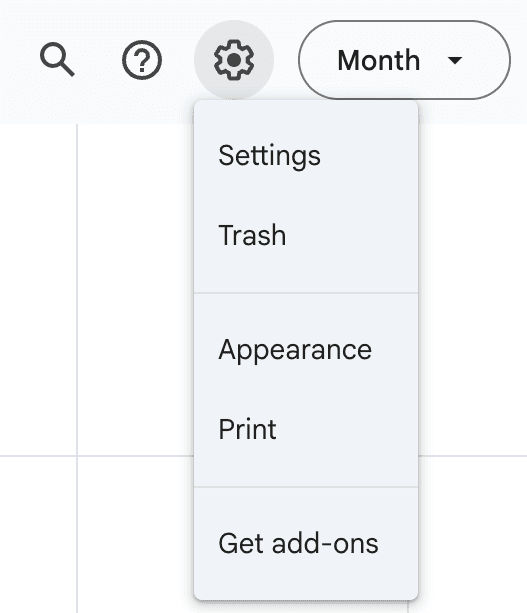
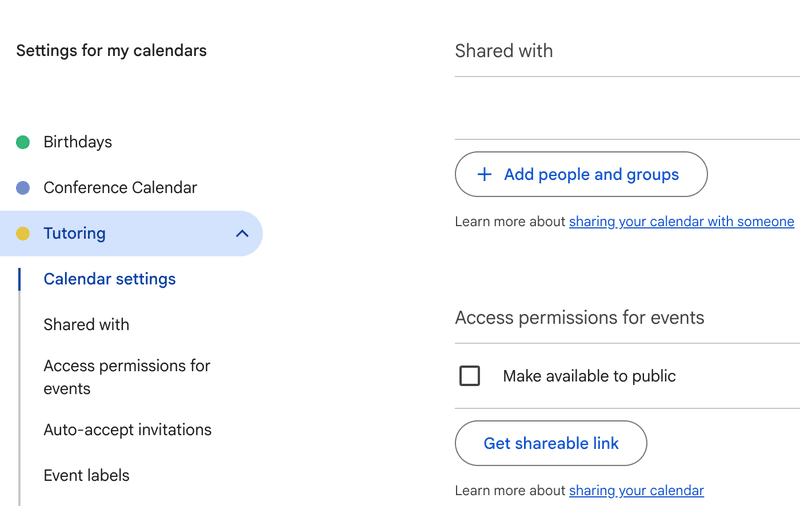
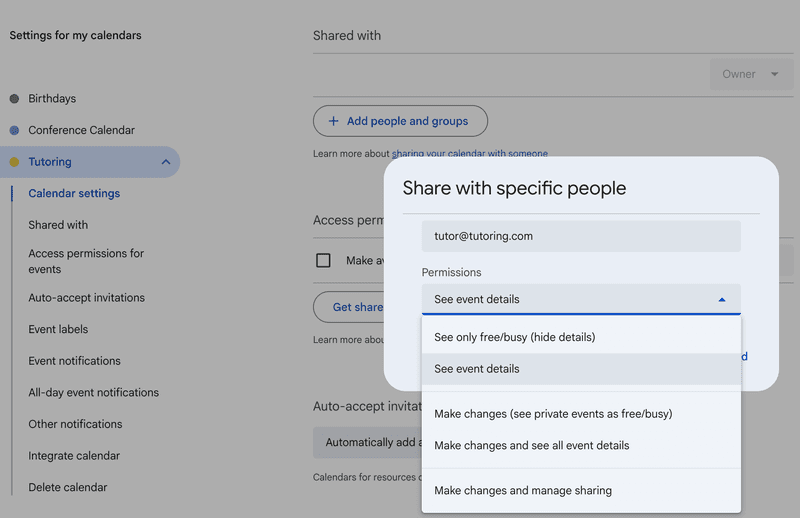
Open calendar.google.com, click the gear, then Settings. Under "Settings for my calendars," click your calendar, then "Shared with." Click "Add people and groups," add the email address in the message you got, and under Permissions choose "See only free/busy (hide details)." Then click Send.
On an Android phone
In the Google Calendar app, open Settings, tap your calendar, then "Shared with."
On an iPhone
The Google Calendar app can't share calendars. Open calendar.google.com in Safari, switch to the desktop site, and follow the computer steps.
- If you keep more than one calendar, please share each one.
Still stuck? Google's help on sharing a calendar